
As content marketing and organic search optimization continue to dominate digital strategies, having the right SEO tools can make or break your rankings!
Trustpilot Rating
Editor’s Rating
A powerful on-page optimization platform is essential for creating content that Google and AI search engines actually want to show. 🚀
Today's Surfer SEO review covers one of the most popular solutions trusted by over 150,000+ marketers and agencies worldwide!
We will test out key features like Content Editor, SERP Analyzer, AI writing capabilities, real-time Content Score, keyword suggestions, and internal linking automation.
We will also discuss pricing plans, user experience, customer support, pros and cons, and some solid alternatives. 📊
Finally, I will reveal if Surfer SEO is worth your investment in 2026.
What Makes Surfer SEO Stand Out? 🎯

Surfer SEO functions as an on-page optimization platform that analyzes top-ranking pages for any target keyword and delivers data-driven recommendations to improve your content.
Unlike traditional SEO tools that focus primarily on backlink analysis or technical audits, Surfer specializes in helping you create content that aligns with what Google actually ranks.
Surfer SEO At A Glance
Surfer examines over 500 on-page signals including keyword density, content structure, topic coverage, and semantic relevance.
It compares your content against competitors currently ranking on page one, giving you actionable insights rather than generic advice.
Over 150,000 content creators, agencies, and SEO professionals trust this platform to streamline their content strategy and maximize visibility in both Google search results and AI-powered search engines like ChatGPT and Perplexity.
Surfer SEO Key Features 💡
Surfer SEO combines powerful optimization tools with AI-driven insights to help create content that ranks and converts effectively.
Content Editor: Real-Time Optimization Engine
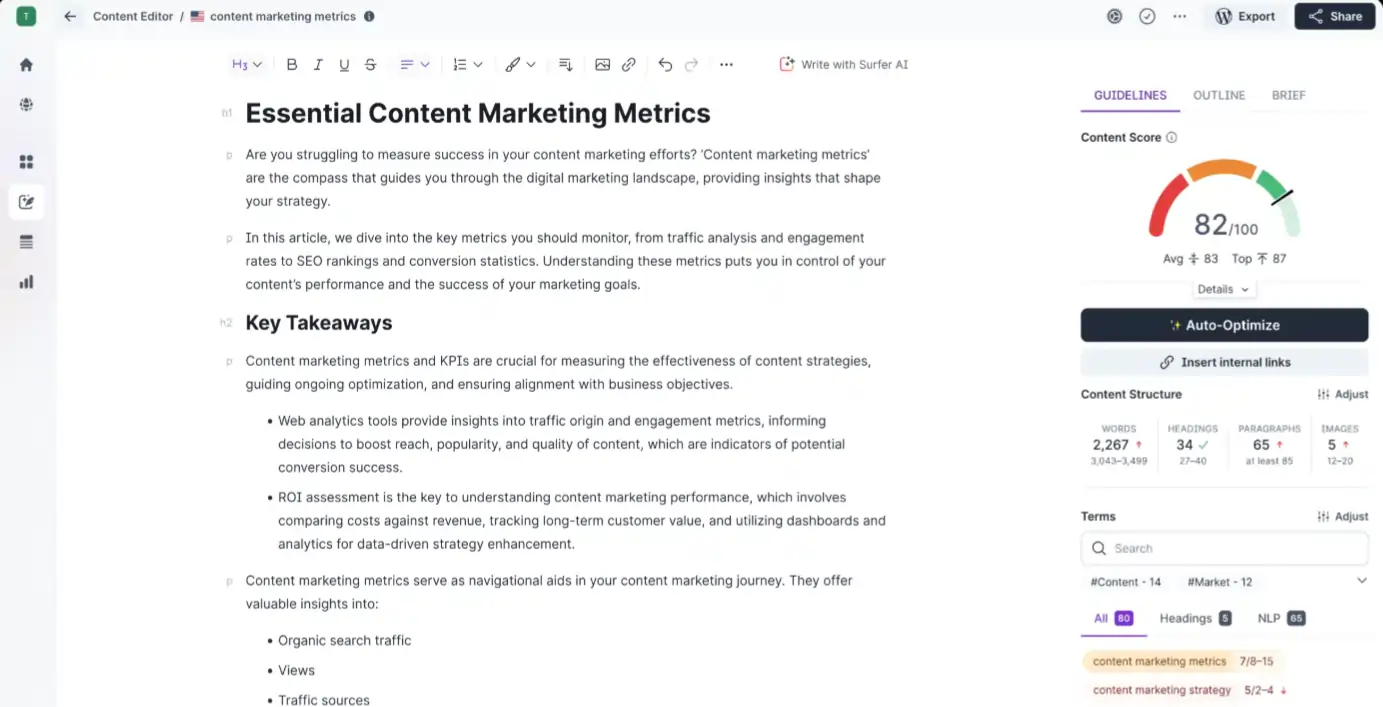
Content Editor serves as Surfer's flagship feature—a real-time writing assistant that guides you through creating perfectly optimized articles.
What sets it apart is the ability to select exactly which top-ranking pages you want to analyze, rather than blindly copying second-page results.
Key capabilities include:
One standout benefit: you can write directly in the editor or paste existing content for instant analysis. The platform turns suggested terms green as you hit optimal density, though caution is needed to avoid keyword stuffing.
Surfer AI: Automated Content Generation

Surfer AI generates rank-ready articles in minutes by analyzing SERP data and competitor content. Each plan includes AI article credits—Essential offers 5 monthly, while Scale provides 20.
Built-in writing assistant “Surfy” helps edit, rephrase, and refine content in real-time. While the AI produces solid starting points scoring 91% on Surfer's own AI detector, expect heavy editing before publishing.
Content Audit: Performance Analysis
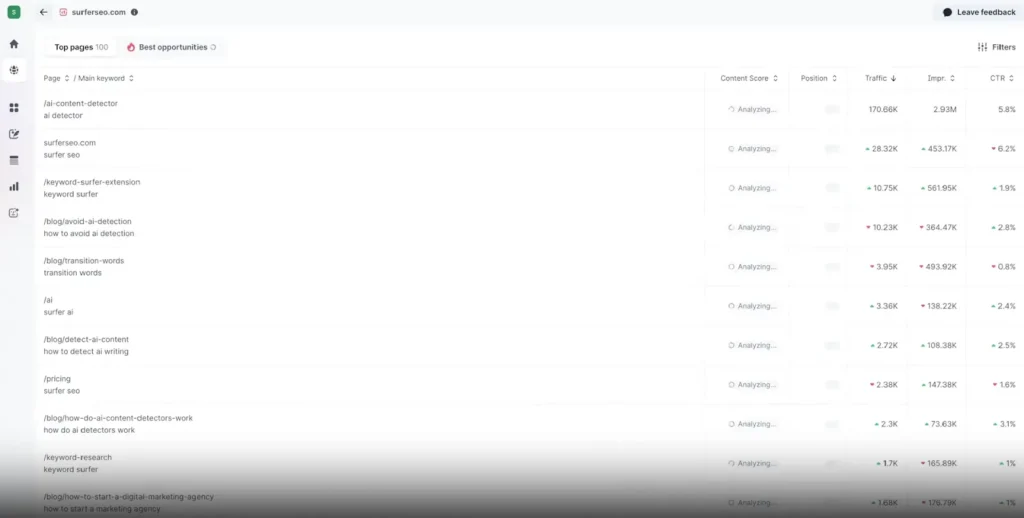
Content Audit analyzes existing articles and identifies optimization opportunities. After connecting Google Search Console, you receive detailed metrics including:
The tool highlights pages “most likely to get you the best traffic increase in the least amount of time”, making content refresh strategies incredibly efficient.
Topical Map: Strategic Content Planning
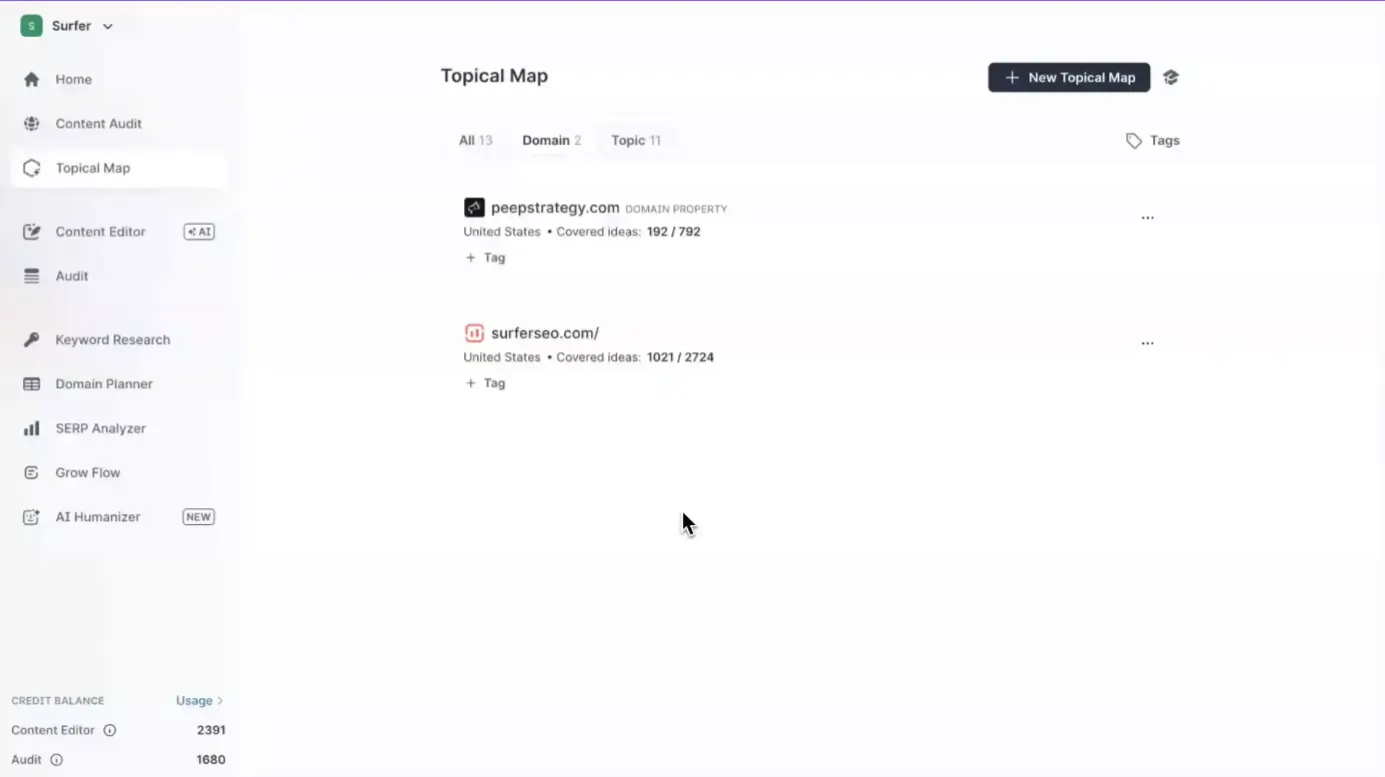
Topical Map connects to your Google Search Console and identifies content gaps based on your site's existing authority. Rather than generic topic suggestions, it recommends subjects you actually have ranking potential for.
You can send topics directly to Content Editor or have Surfer AI generate articles automatically. This streamlines content strategy development significantly.
Keyword Research Tool
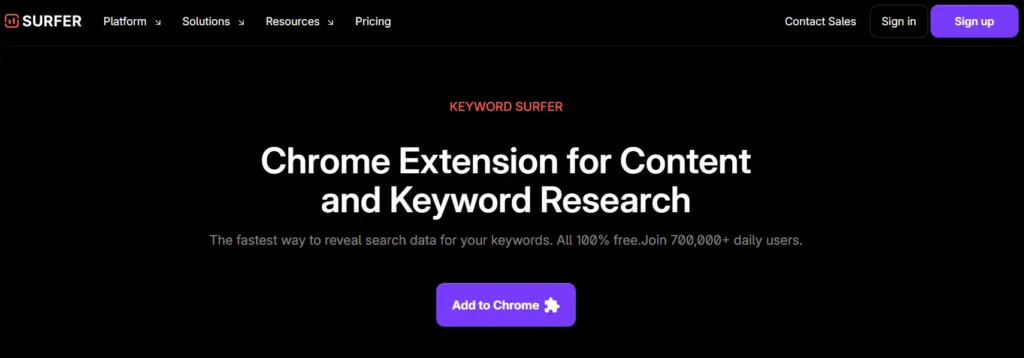
While not as comprehensive as platforms like SEMrush or Ahrefs, Surfer's keyword research feature handles basics effectively. It provides:
The free Chrome extension makes quick keyword checks convenient, though serious keyword analysis may require supplementary tools.
SERP Analyzer: Deep Competitive Intelligence
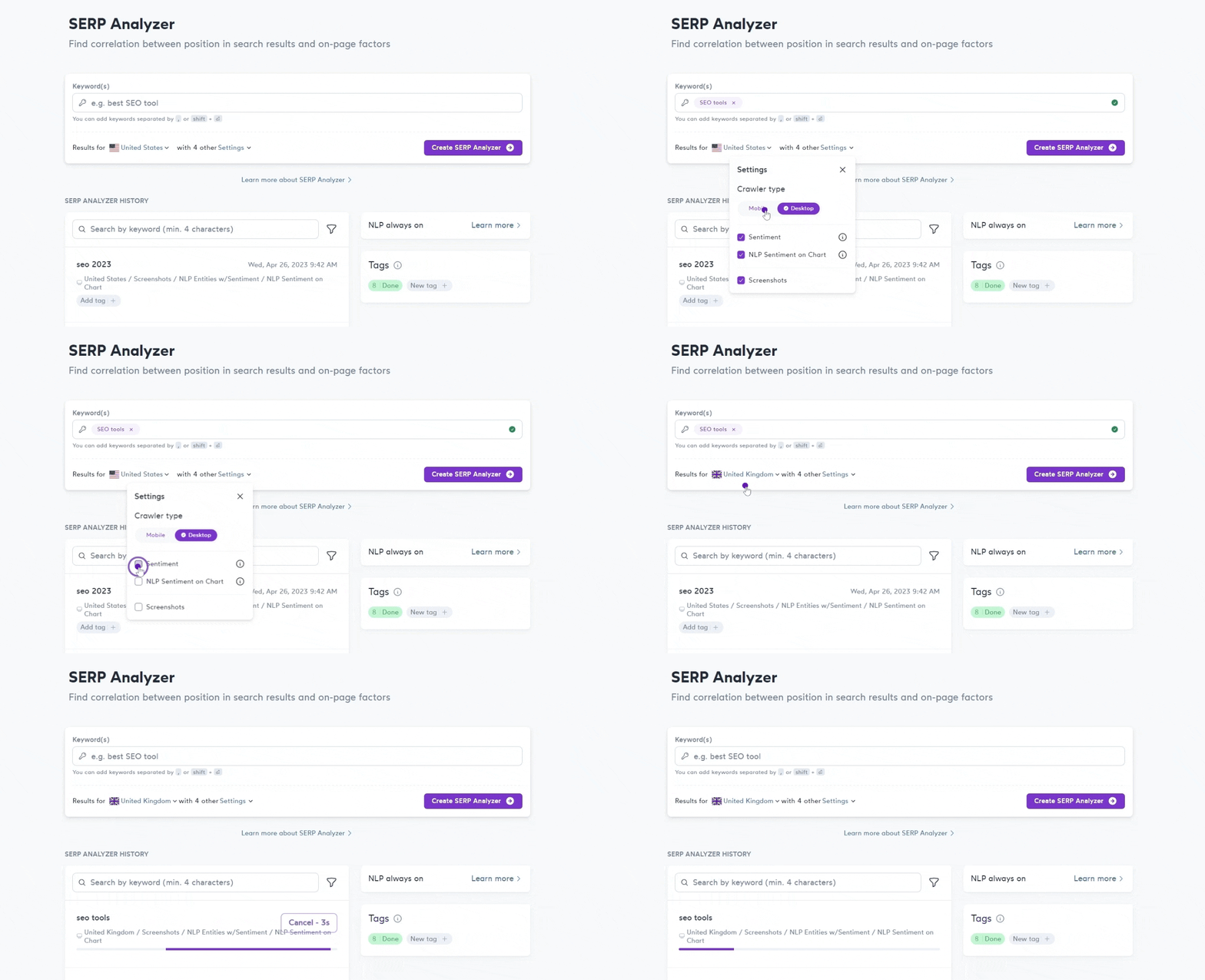
SERP Analyzer delivers an extremely detailed breakdown of first-page results. Metrics include average word count, keyword frequency, partial match usage, hidden content, page speed, title tag characters, alt text, and much more.
Unique data points include words appearing above the fold and average H2 heading counts. While fascinating, this feature can feel overwhelming with hundreds of variables to consider.
Auto Internal Links 🔗
Surfer automatically scans your site and inserts relevant internal links so Google and AI tools better understand your topic clusters.
Proper internal linking helps search engines discover content relationships and surface your pages in appropriate contexts.
This automation saves hours of manual work identifying linking opportunities and ensures consistent site architecture.
Better internal linking structure often correlates with improved crawlability and indexing.
AI Tracker for Multi-Platform Visibility
AI Tracker monitors how content performs across ChatGPT, Google AI Overviews, Gemini, and Perplexity.
As AI-powered search grows, tracking visibility beyond traditional Google results becomes essential for maintaining traffic.
Enhanced tracker features include comparison capabilities and detailed visibility insights showing which platforms surface your content.
Surfer SEO Pricing: Plans & Cost Breakdown 💰
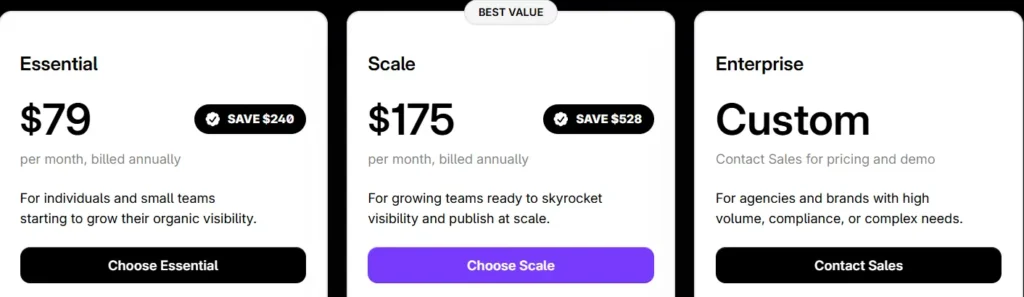
Surfer offers three main subscription tiers with significant savings for annual billing:
| Surfer SEO Pricing | Monthly Billing | Annual Billing | Pages Tracked |
|---|---|---|---|
| Essential Plan | $99/month | $79/month | 200 |
| Scale Plan | $219/month | $175/month | 1,000 |
| EnterprisePlan | Custom | Custom | Custom |
Additional costs to consider:
Compared to Clearscope—which starts at $129/month for 50 keyword searches—Surfer offers significantly better value at $99/month with 100 daily keyword searches.
How to Use Surfer SEO: Step-by-Step Guide 📋
- Step 1: Set Up Your Account

Choose a plan matching your content production needs. Essential works well for solo creators, while Scale suits agencies and teams producing higher volumes.
- Step 2: Conduct Keyword Research
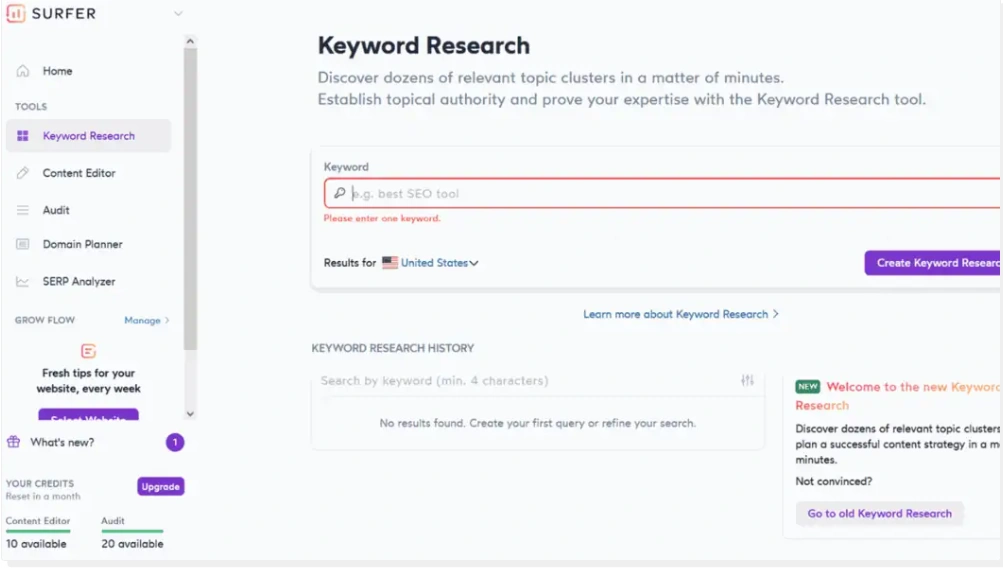
Use Surfer's keyword tool to identify opportunities. Analyze search volume, difficulty, and intent before selecting target keywords.
- Step 3: Create Content Brief
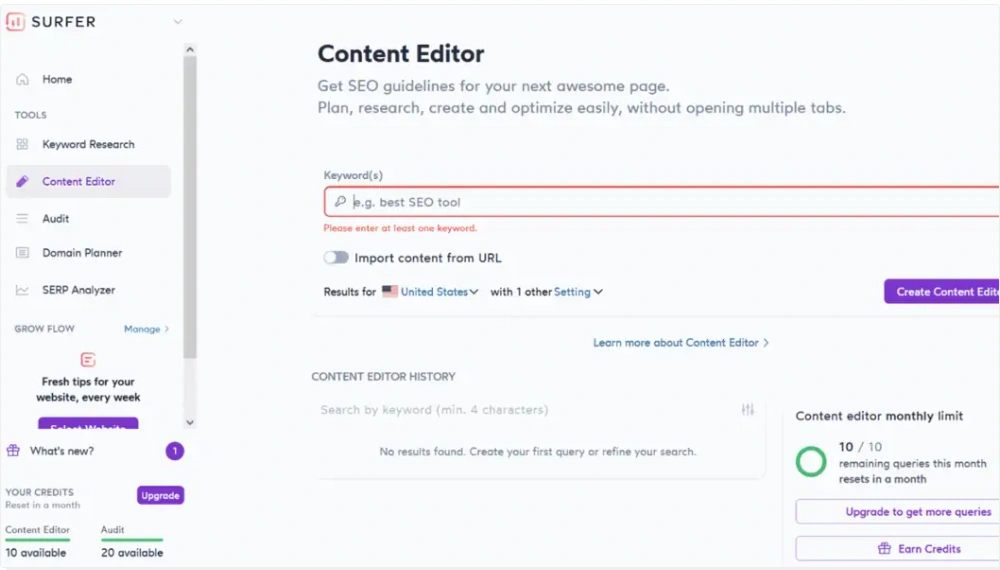
Enter your target keyword into the Content Editor. Surfer analyzes top-ranking competitors and generates an outline with recommended structure.
- Step 4: Write and Optimize
Either write directly in the editor or paste existing content. Monitor your Content Score and incorporate suggested terms naturally—aim to meet or slightly beat the average score, not max it out.
- Step 5: Review AI Suggestions
If using Surfer AI, review generated content carefully. Edit for brand voice, accuracy, and natural flow before publishing.
- Step 6: Audit Existing Content
Use Content Audit to identify refresh opportunities. Focus on pages with declining rankings or those close to page one.
- Step 7: Track Performance
Monitor how optimized pages perform using Google Search Console integration and adjust strategy accordingly.
Integration Capabilities & Workflow Automation 🔗
Surfer connects with popular tools to create efficient content production pipelines.
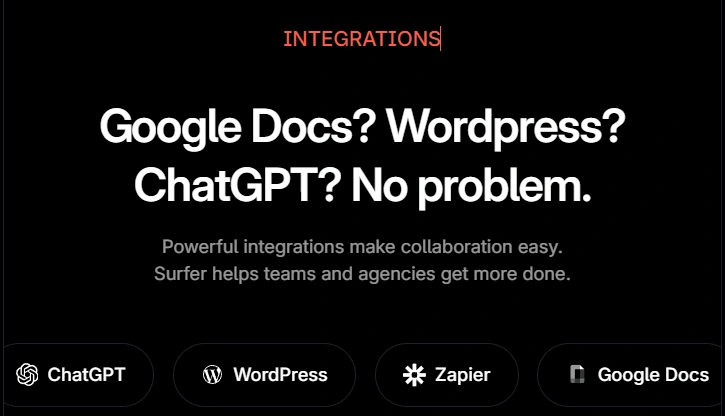
Workflow automation extends beyond integrations. Auto-Optimize scans existing content and suggests improvements with one click. Auto Internal Links analyzes your entire site structure and inserts contextual links automatically. These features save hours weekly for content-heavy websites.
Support and Learning Resources 📚
Surfer provides Intercom-based chat support accessible from every page. Response times are quick (usually under 5 minutes), though answers sometimes lack depth on technical questions.
Surfer Academy offers free training through multiple formats:
Knowledge Base contains detailed articles from the support team covering setup, features, and troubleshooting. Documentation quality is solid with screenshots and step-by-step instructions.
SEO Blog publishes regular articles on on-page optimization, content creation best practices, and industry updates. Good for staying current with search trends.
Overall, educational resources surpass what most SEO tools provide. You're not just buying software—you're gaining access to training that improves your entire content strategy.
Surfer SEO Pros and Cons ⚖️
Advantages ✅
Disadvantages ❌
Who Should Use Surfer SEO? 🎯

Surfer SEO isn't for everyone, but it's brilliant for certain groups.
If you're running an affiliate marketing site, e-commerce store, or any business that relies on organic traffic, Surfer gives you a legitimate advantage over competitors who are just winging it.
Surfer SEO Alternatives Comparison 🔄
| Feature | Surfer SEO | Frase.io | Clearscope | NeuronWriter |
|---|---|---|---|---|
| Starting Price | $79/month | $45/month | $189/month | $69/month |
| AI Content Generation | ✅ Built-in | ✅ Included | ❌ Not available | ✅ Included |
| Content Score | ✅ Real-time | ✅ Real-time | ✅ Grade-based | ✅ Real-time |
| SERP Analysis | ✅ Advanced | ✅ Standard | ✅ Detailed | ✅ Standard |
| AI Search Tracking | ✅ ChatGPT, Gemini+ | ❌ Not available | ❌ Not available | ❌ Not available |
| Content Audit | ✅ Comprehensive | ✅ Basic | ✅ Available | ✅ Available |
| Best For | Agencies & Teams | Solo creators | Enterprise | Budget-conscious |
Surfer strikes a nice balance between features, usability, and cost. It's not the cheapest option but offers the most complete package for serious content marketing.
Final Verdict on Surfer SEO
Our Surfer SEO review covered everything you need to make an informed decision about your next content optimization tool.
Trusted by 150,000+ users globally, Surfer has proven its worth through real results and consistent ranking improvements.
The platform keeps adding new AI capabilities that help content rank in both Google and AI search engines.
For bloggers, agencies, and marketing teams serious about organic traffic growth, Surfer delivers solid value at every price point.
Ready to boost your content rankings with Surfer SEO? 🚀