
Screen Studio Review 2026: Mac Recorder Features & Pricing

By :
Lewis Gil
October 15, 2026
Screen Studio is worth paying for if polished product demo videos are part of how a business sells, and it is not worth paying for if recordings only need to be watched once. A subscription costs $29 monthly or $9 per month billed yearly, which lands at $108 a year. Everything is included on both plans. The app runs on Mac only, needs macOS Ventura 13.1 or later, and caps shareable video links at 30 minutes.
Most screen recorders hand back exactly what happened on the screen. Shaky pointer, dead air, a cursor the viewer squints at, and a file too heavy to send.
Screen Studio does something different. Recording stops, and the app has already added automatic zoom on mouse clicks, smooth cursor movement and a background, before anyone touches a timeline.
We record a lot of demos. Feature walkthroughs, tool comparisons, short clips that go on a page next to a table. So a Mac screen recorder that removes an hour of editing per video earns real attention from us.
Below is what we found after running it as our daily capture app, including what breaks, what costs extra and who should stay on a free tool.
Bottom Line Upfront on Screen Studio Value
Buy Screen Studio when demo quality is a revenue lever. Landing page hero clips, onboarding walkthroughs, launch videos, course lessons and social cuts all come out looking edited when almost nothing was edited.
Starting cost is $9 per month on annual billing. That is $108 up front, and the monthly route costs $29 if a shorter commitment matters more than the saving.
The main drawback is scope. Screen Studio is a recorder and a light editor. No shared team library, no viewer analytics beyond a view count, no multi track assembly, no Windows build.
Skip it if recordings are quick async messages sent to colleagues, or if a PC sits anywhere in the recording chain. Both cases are better served elsewhere.
What Is Screen Studio and Who Should Use It?
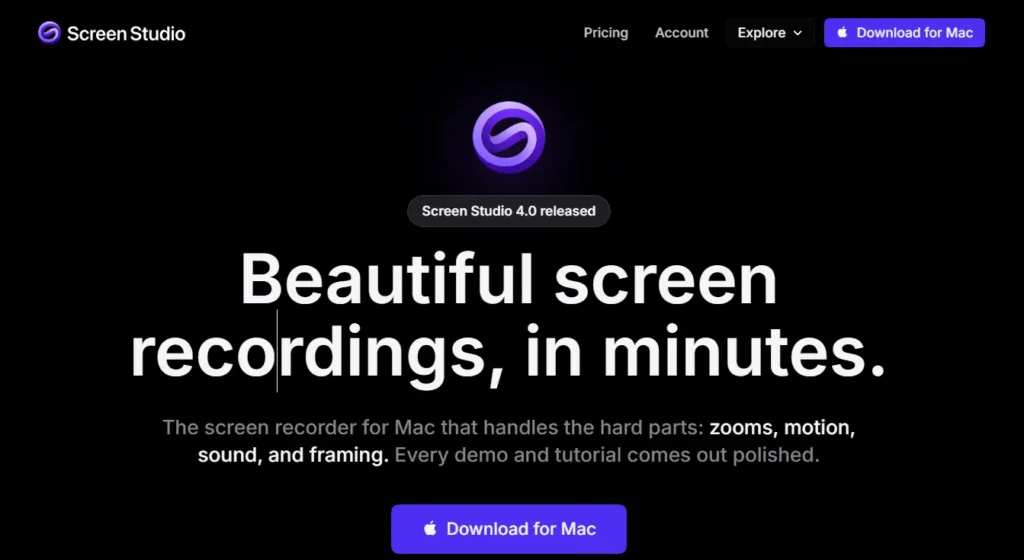
Screen Studio is a native macOS screen recording app built for videos that get published rather than videos that get forgotten.
Capture happens first. Editing decisions the app can reasonably guess are then applied automatically, and everything stays adjustable afterwards.
Ownership sits with an independent Polish developer, Adam Pietrasiak, trading as Timpler. Small operation, one very focused product, and a Product Hunt Product of the Year badge behind version 3.0.
| Detail | What we confirmed |
|---|---|
| Platform | macOS only. No Windows build, no Linux, no web version |
| Minimum macOS | Ventura 13.1 or later |
| Processor | Apple M1 or newer recommended. Intel supported on MacBook Pro 2018 or later and MacBook Air 2020 or later |
| Memory | 8GB RAM minimum |
| Export formats | MP4 and GIF, up to 4K at 60fps, or straight to clipboard |
| Sharing | Streaming links capped at 30 minutes, public or private, with comments and view counts |
| Best for | SaaS founders, product marketers, creators, educators, agencies, small teams |
| Not for | Windows users, teams needing a shared video library, anyone recording hour long webinars for streaming links |
| Starting price | $9 per month billed yearly, or $29 billed monthly |
Who Gets Real Value From Screen Studio
Screen Studio Key Features
Screen and Mobile Recording Options
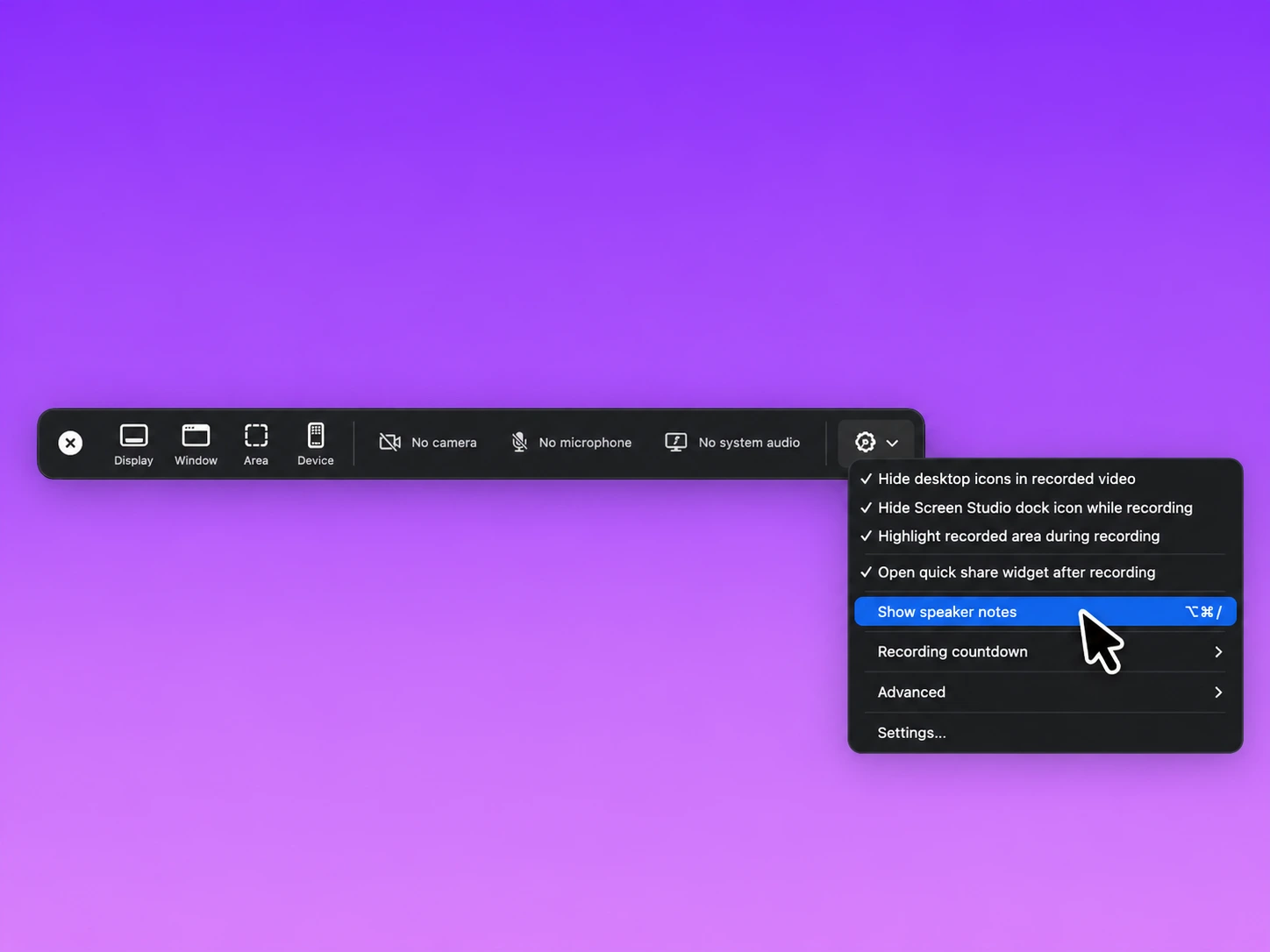
Capture starts from a picker with three targets. Entire display, a single window, or a drawn area with guide lines and saved dimensions.
Window capture is the one worth knowing. Screen Studio can resize a window to exact preset sizes before recording begins, so demo footage arrives already framed correctly instead of needing a crop later.
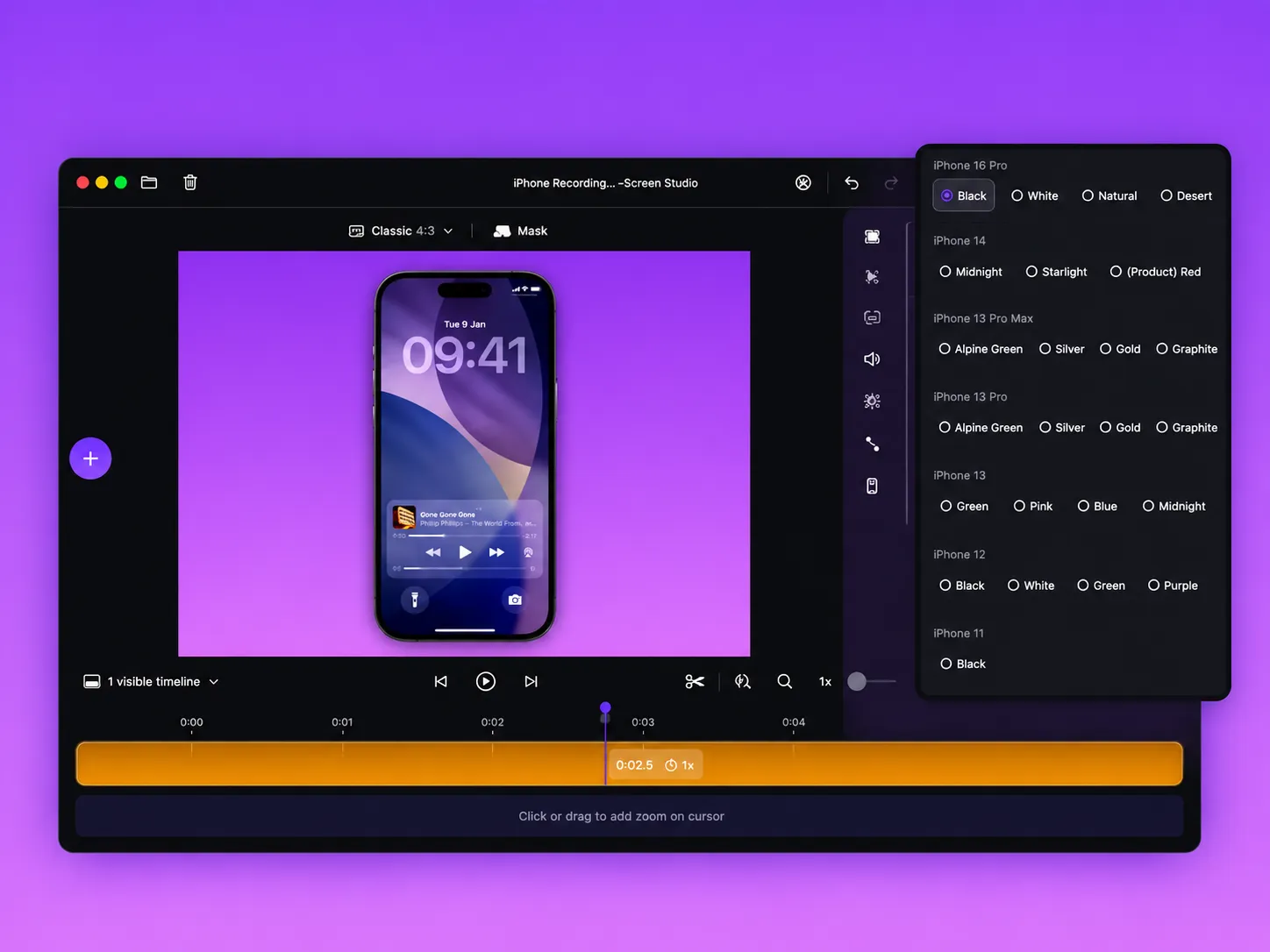
Small detail that earned its keep. Recordings can be recovered when the app or the Mac fails mid capture. We triggered a forced quit during a long take and the project rebuilt rather than vanishing.
Automatic Zoom and Cursor Controls That Do the Editing
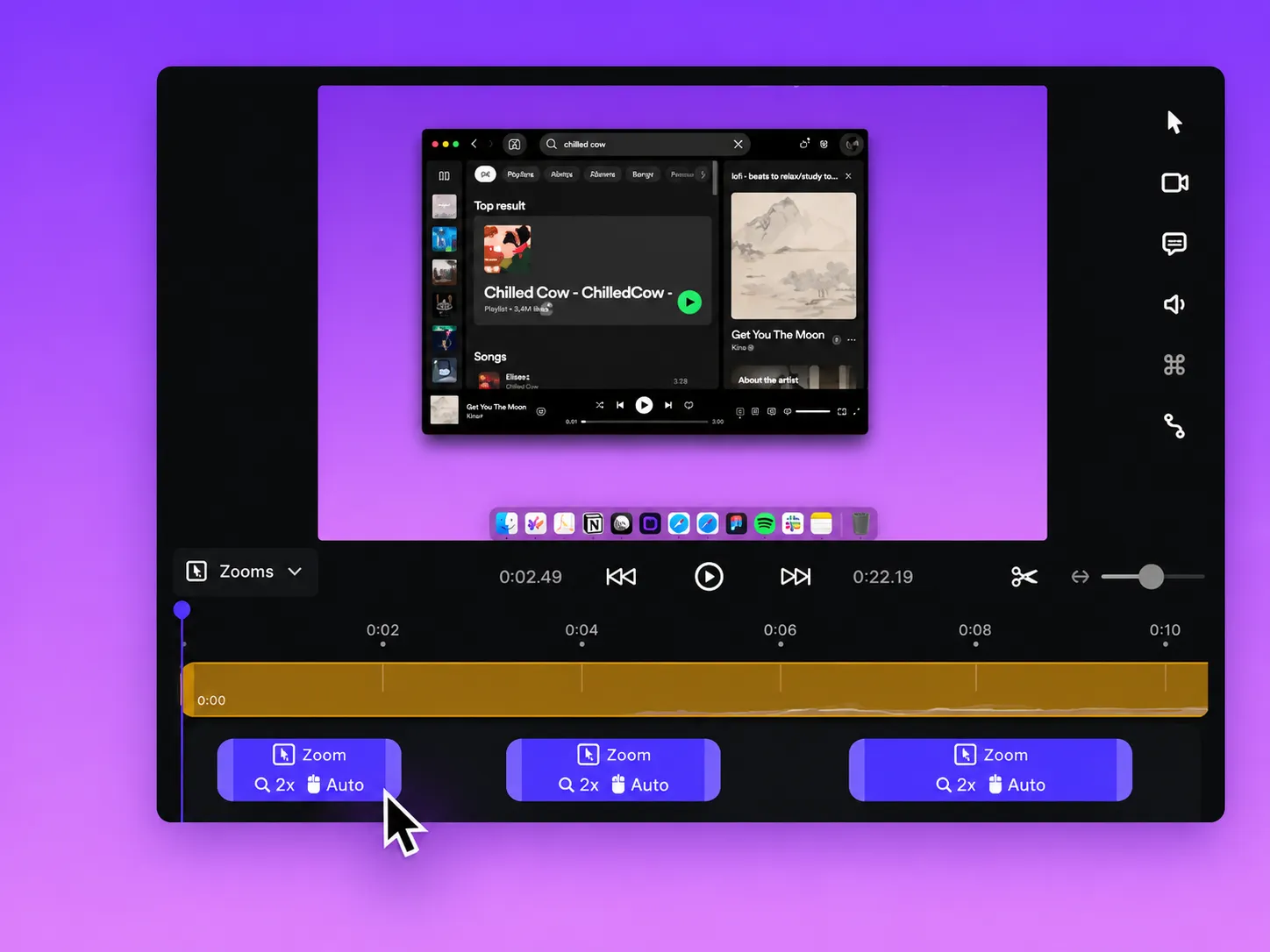
Zoom is the headline feature and deserves the attention.
The app watches pointer actions during capture and places zoom ranges on the timeline afterwards. Each one animates in and out on its own easing, so nothing snaps.
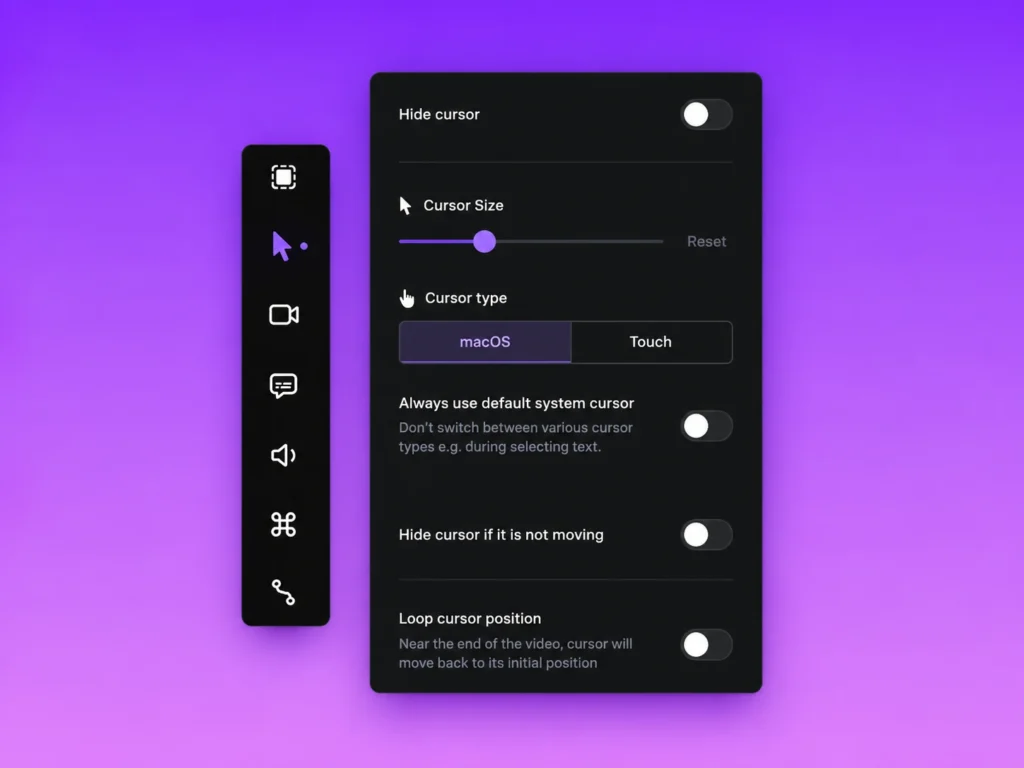
Cursor treatment is the quieter half, and honestly the part that makes footage look professional.
Editing Controls and Brand Styling Presets
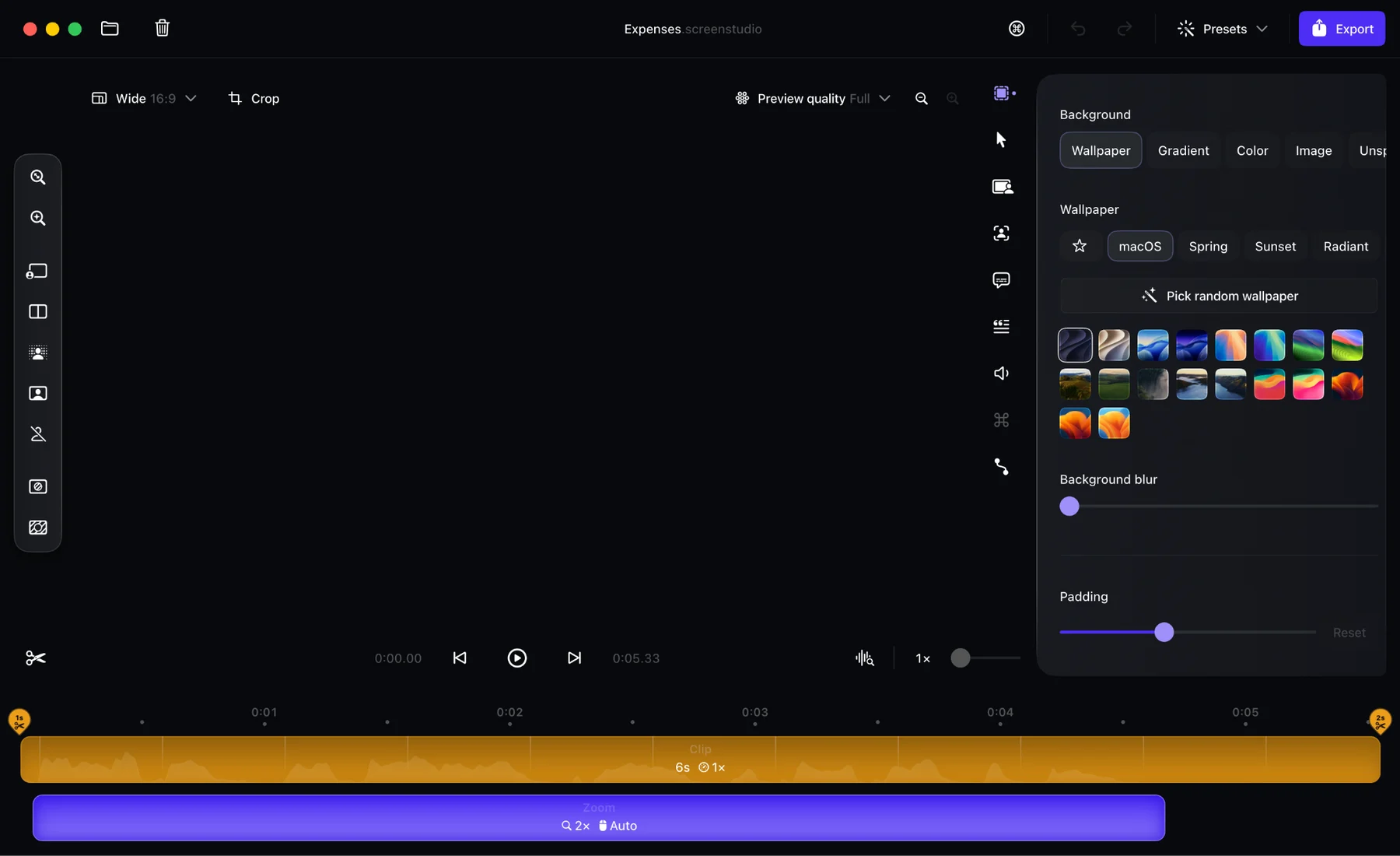
Editing is intentionally shallow. No multi track compositing, no titles engine, no transitions library.
What exists covers the 90 percent case for demos.
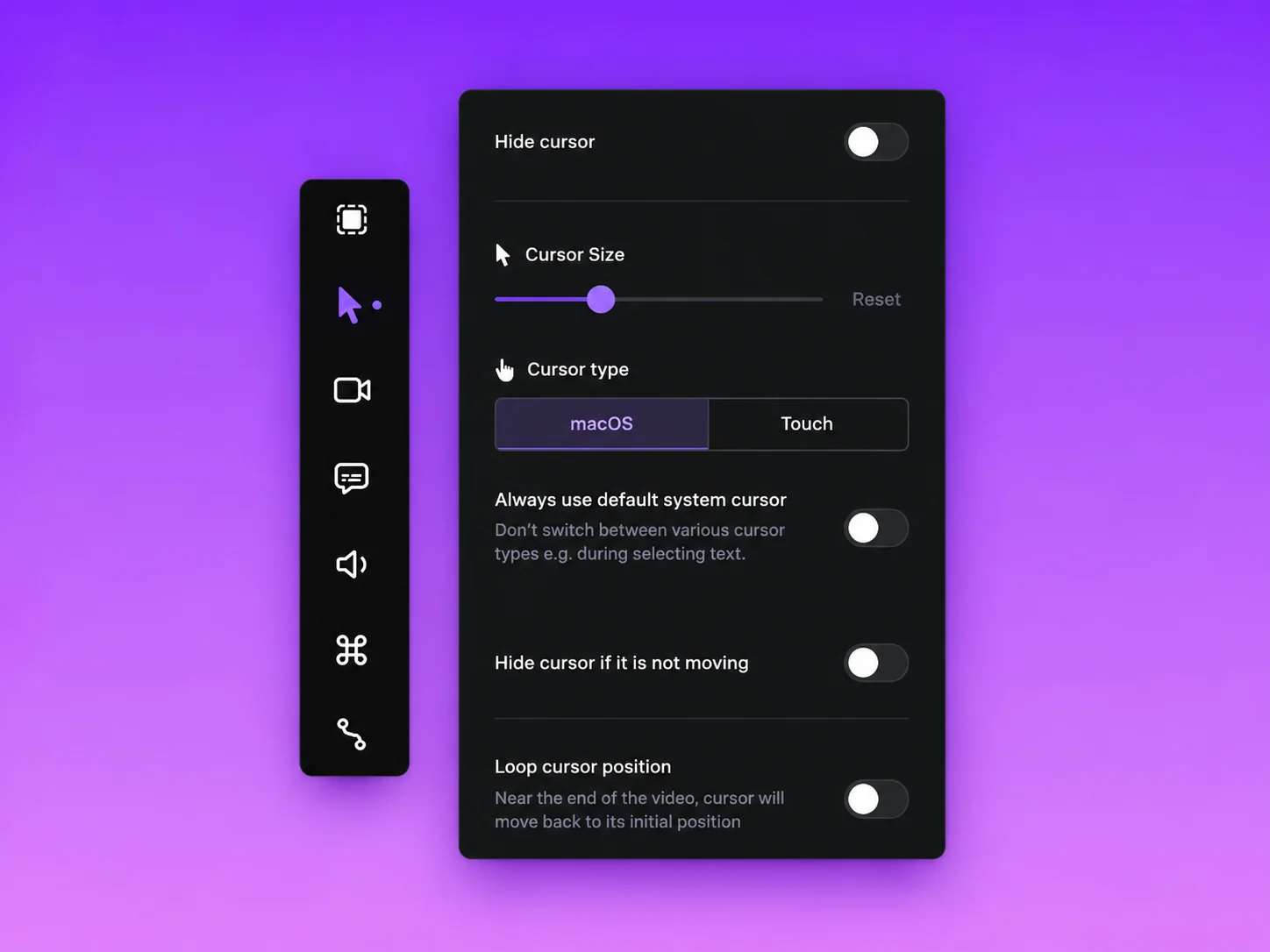
Where presets pay off: One person builds the brand look once. Everyone else imports a file and stops making styling decisions. For agencies running several client brands, that alone justifies a seat.
Webcam, App Audio and Caption Handling
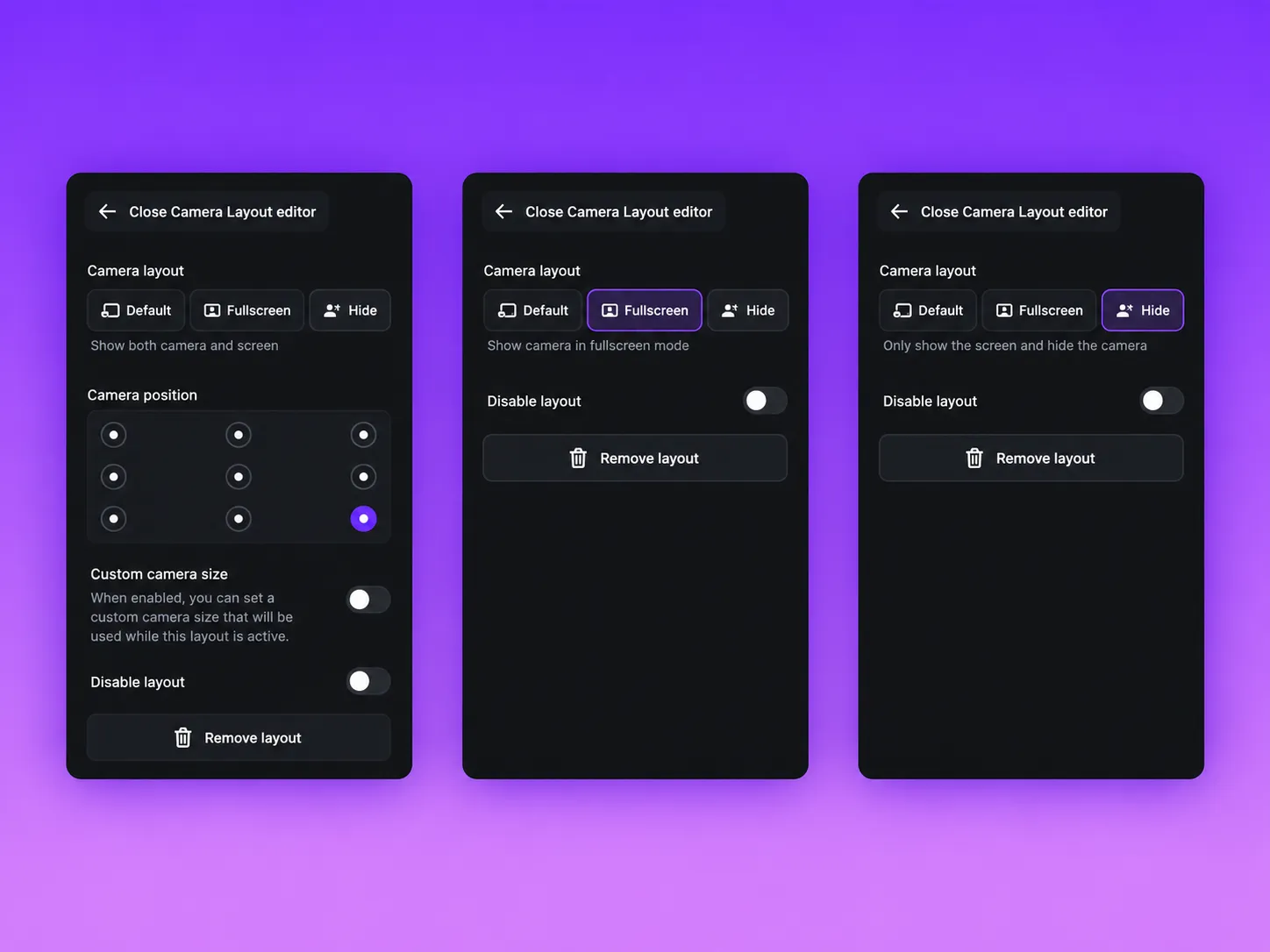
Camera work has grown well past a circle in the corner.
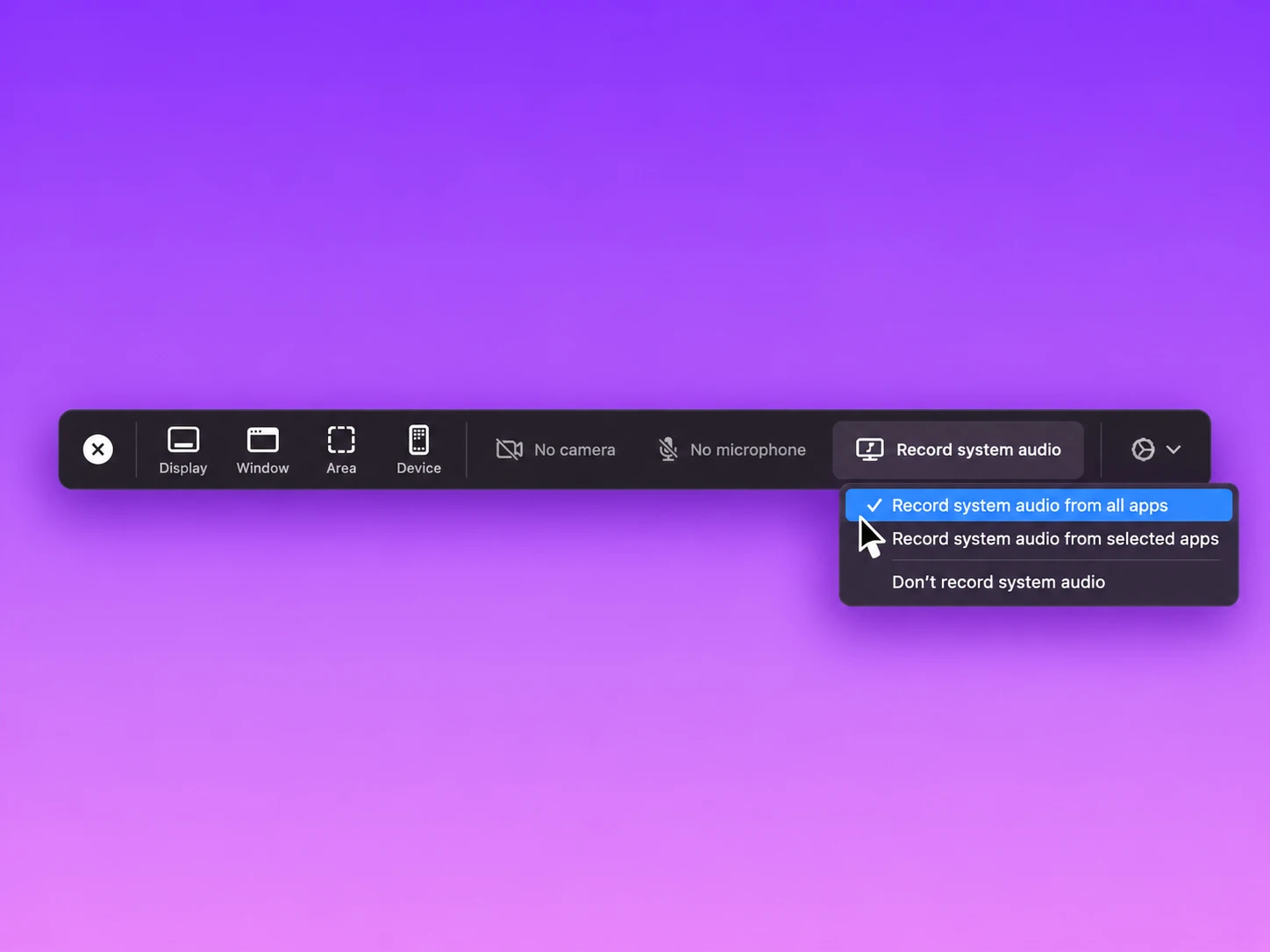
Audio handling is where a lot of screen recorders quietly fail, and this one holds up.
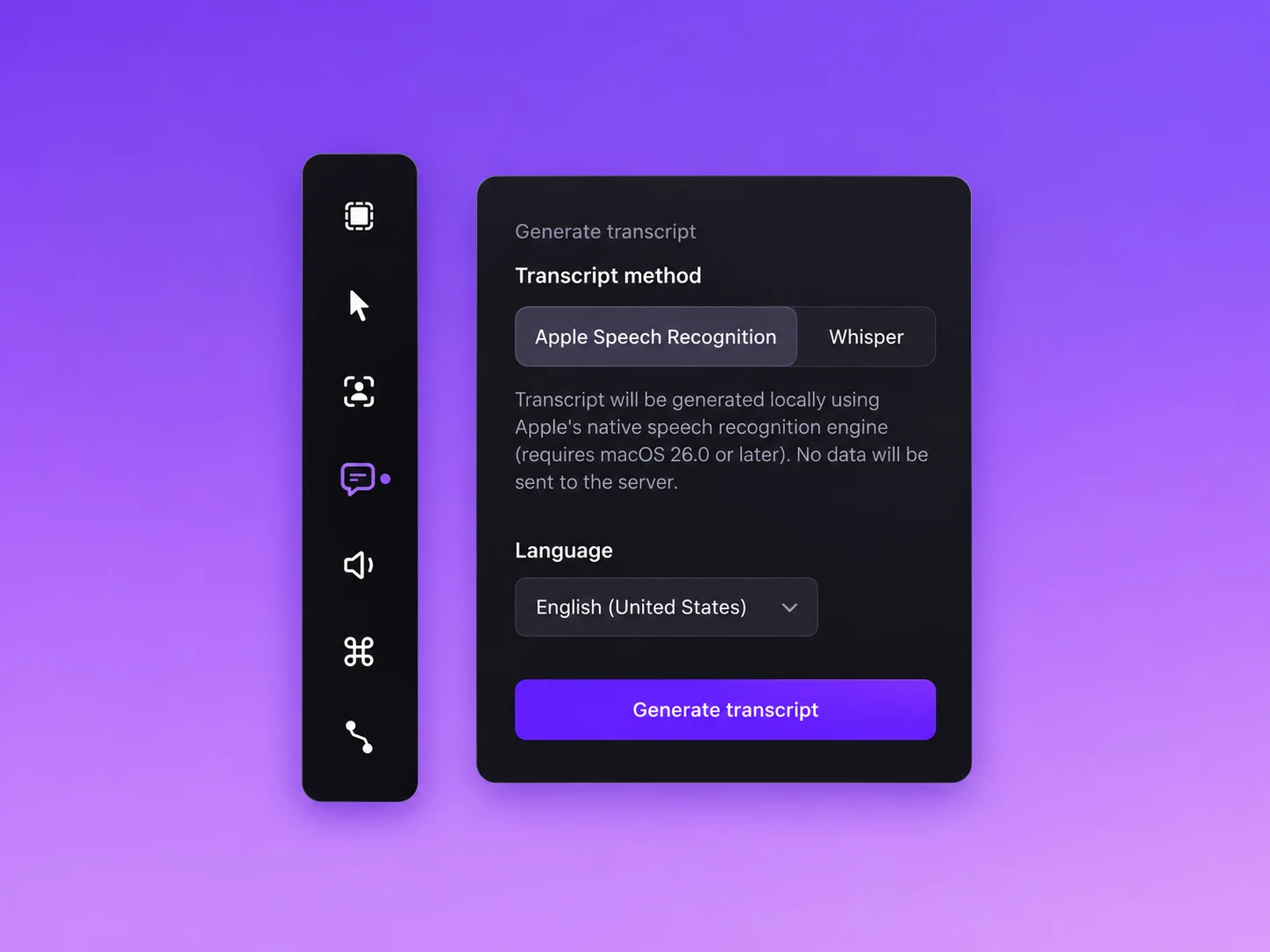
Captions deserve a clear distinction, because marketing copy elsewhere often blurs it.
Transcription is not automatic editing. Screen Studio converts speech to text. It does not cut filler words, remove silences or restructure a video from a transcript the way text based editors do. Cutting stays manual on the timeline.
Exporting and Video Sharing Behaviour
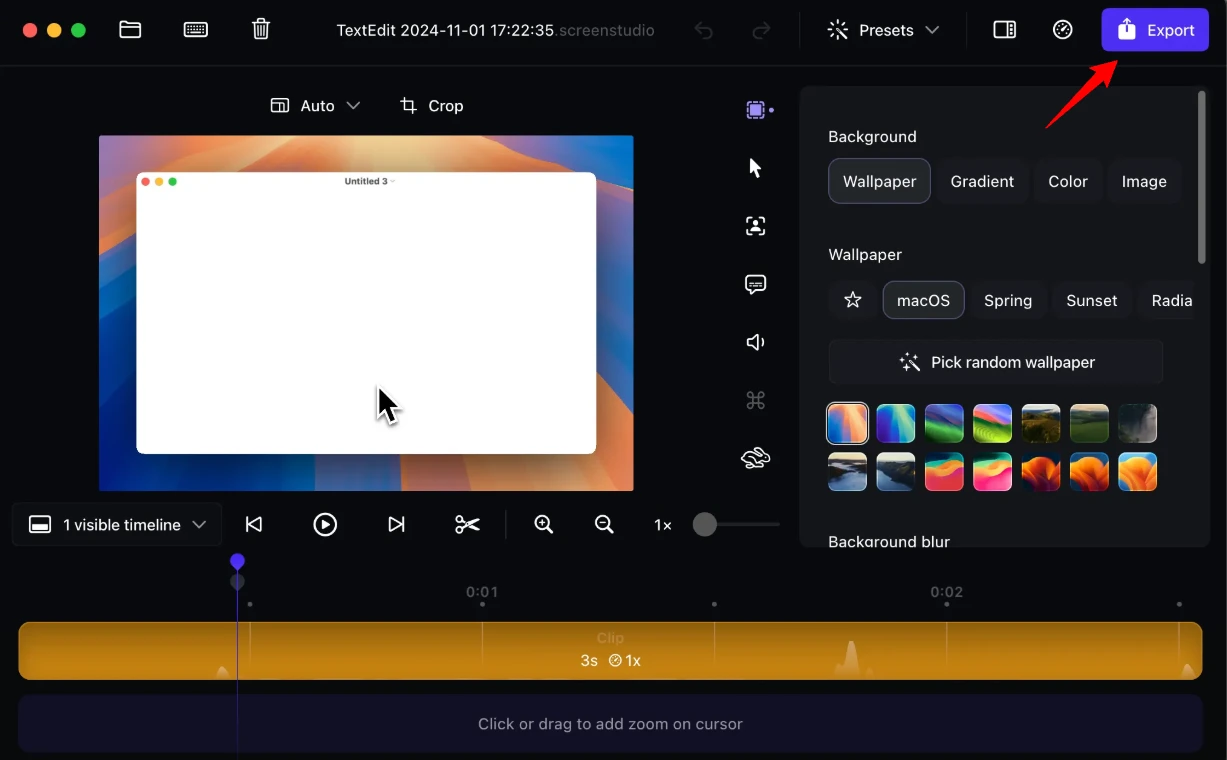
Export presets pick the technical settings based on destination, which removes a genuine decision fatigue problem.
Sharing runs through streaming links.
The 30 minute ceiling is real: Shareable recordings are capped at 30 minutes. Longer projects still export perfectly as files, they simply cannot become a link. Course creators recording 45 minute lessons need separate hosting.
Screen Studio Pricing Plans Explained
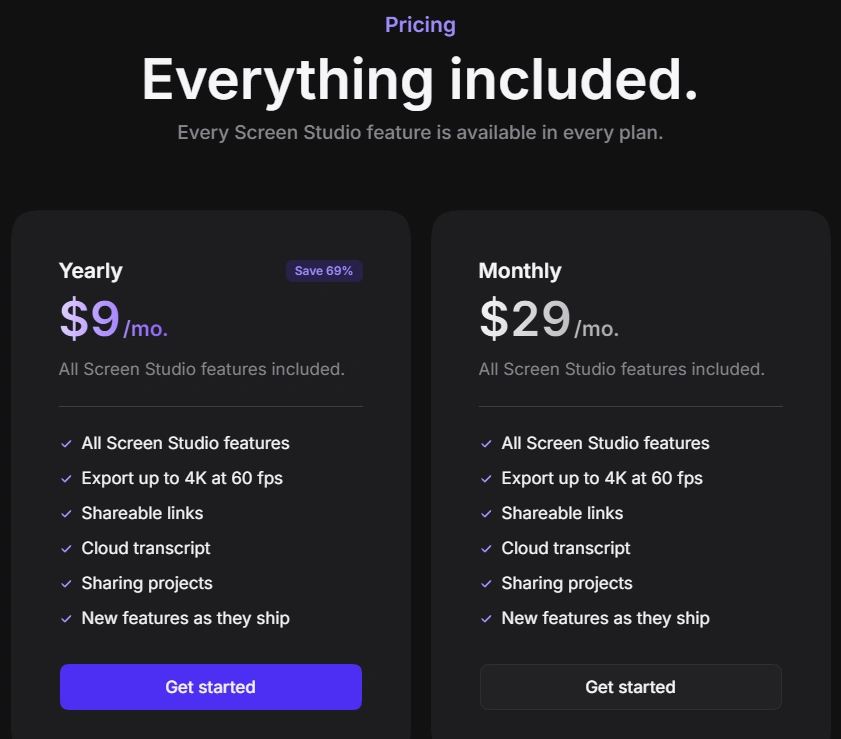
| Screen Studio Plan | Cost | Yearly outlay | Included |
|---|---|---|---|
| Monthly | $29 per month | $348 if held 12 months | Every feature and shareable links |
| Yearly | $9 per month | $108 charged annually | Every feature and shareable links |
| Education | 40% off | Varies by plan chosen | Same features, discount code issued by email |
No feature gating between tiers, which is refreshing. Monthly and yearly buy identical software, and switching from monthly to yearly is allowed at any point.
The saving is large. Yearly costs 69% less per month than monthly, so anyone certain about a full year should take the annual route immediately.
Education Discount Eligibility
Submit a university or educational institution email address on the discount request page.
A 40% code arrives automatically for that address.
No institutional email available, so send proof of student status such as a student ID to the support address instead, and a code is issued manually.
Renewal, Cancellation, Tax and Refund Terms
Where Screen Studio Fits a SaaS Content Stack
Screen Studio replaces an editor, not a video platform. Slotting it correctly matters more than the subscription price.
| Content need | Screen Studio role | Still needed alongside |
|---|---|---|
| Landing page hero demo | Primary. Loop cursor position makes a clean repeating clip | Video hosting or a CDN for the file |
| Feature launch clip | Primary. Record, style, export vertical and horizontal cuts | Social scheduler |
| Onboarding walkthrough | Primary, when under 30 minutes for a link | Help centre to embed into |
| Course lessons | Strong for capture and captions | Course platform for hosting, drip and payment |
| Async team messages | Weak fit. Too much polish for a two minute question | Loom or similar |
| Documentation GIFs | Primary. GIF pipeline keeps files small | Docs tool |
| Sales follow up video | Good, using private links with comments | CRM for tracking |
The pattern is simple. Anything a customer sees belongs in Screen Studio. Anything internal and disposable does not.
Privacy, Sharing Limits and Customer Support Reality
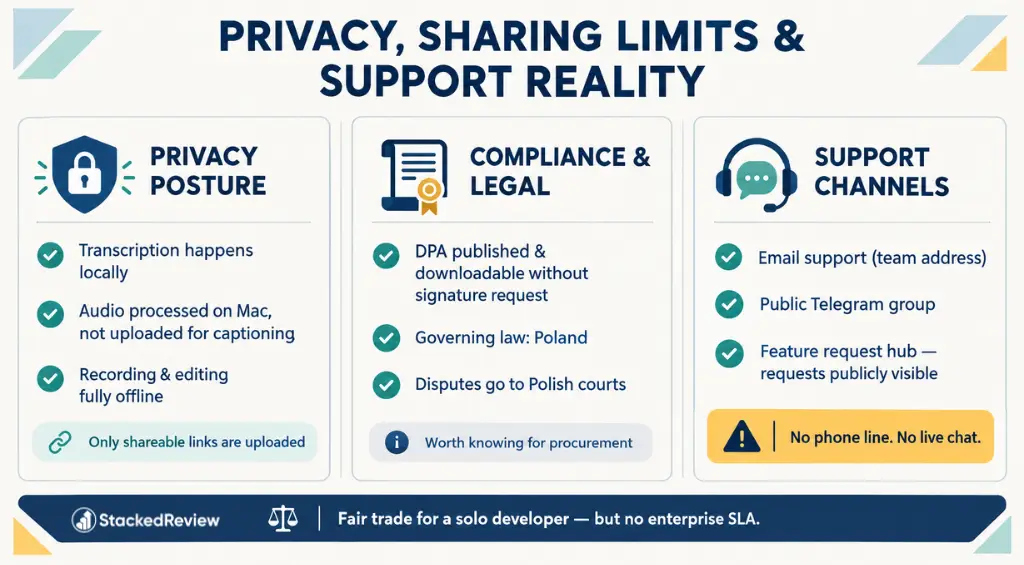
Privacy Posture
Support Channels
No phone line. No live chat widget. For a solo developer operation, responsive email and a public request board is a fair trade, but enterprise buyers expecting an SLA will not find one.
Screen Studio vs Other Screen Recorders
| Tool | Cost | Platforms | Real strength | Real weakness |
|---|---|---|---|---|
| Screen Studio | $9 per month yearly, $29 monthly | macOS only | Automatic zoom and cursor polish that no rival matches | No team library, 30 minute link cap, Mac only |
| Loom | Free tier, Business $18 per user monthly, Business + AI $24 | Mac, Windows, browser, mobile | Instant async sharing, viewer analytics, team workspaces | Per seat cost climbs fast, free tier caps at 25 videos and 5 minutes |
| Camtasia | Starter $39 yearly, Essentials $179.88, Create $249, Pro $599 | Mac and Windows | Full timeline editor with quizzing and e-learning output | Heavy, subscription only since perpetual licences ended, Starter watermarks exports |
| CleanShot X | $29 one time, Cloud Pro $8 per user monthly | macOS only | Fastest capture and annotation utility on a Mac | Recording is basic with no zoom automation or real editing |
On raw cost, a solo operator pays $108 yearly for Screen Studio against $216 yearly for one Loom Business seat. A five person team flips that maths, because five Screen Studio subscriptions come without any shared library to justify them.
Honest Negatives We Hit Using Screen Studio
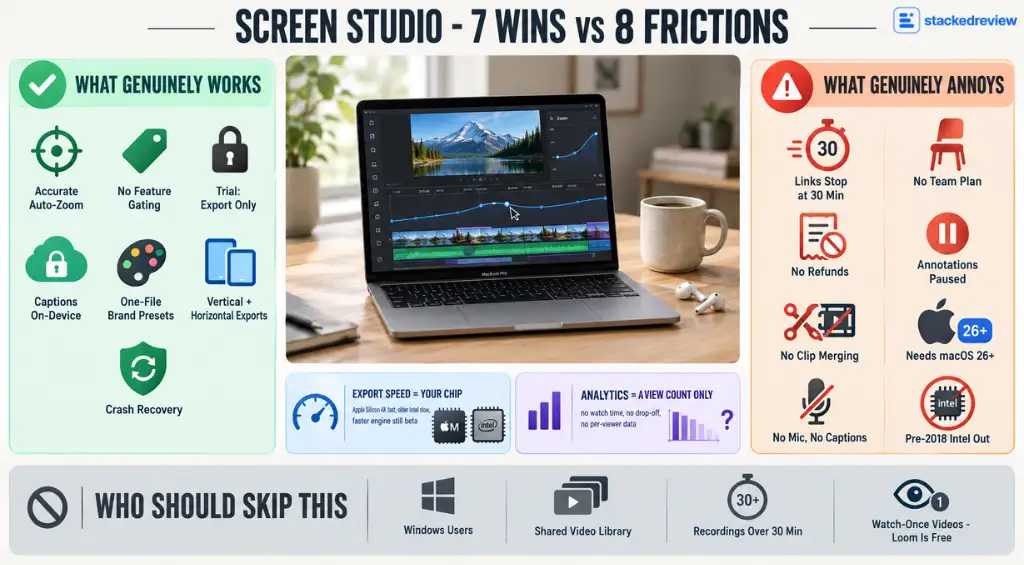
- Automatic zoom placement is accurate enough to ship untouched
- Every feature included on both plans, no gating
- Trial blocks only export, so evaluation is real
- Captions processed on the Mac, not uploaded
- Presets make brand consistency a one file job
- Vertical and horizontal exports from one recording
- Recording recovery after a crash
- Shareable links stop at 30 minutes
- No team plan yet, so seats are bought individually
- Fees are non refundable under the terms
- Annotations are paused, not coming soon
- Multi clip merging into one project does not exist
- Apple Speech Recognition needs macOS 26.0 or later
- Captions unavailable when no microphone was recorded
- Intel Macs older than 2018 are excluded outright
Two more worth naming precisely.
Who should skip this: anyone on Windows, any team wanting a shared searchable video library today, anyone recording sessions longer than 30 minutes that must become links, and anyone whose recordings are watched once by a colleague and never again. Loom covers that last case for free.
StackedReview Score for Screen Studio
| Value | Performance | Ease of use | Support |
|---|---|---|---|
| 4.7 | 4.5 | 4.8 | 3.6 |
Loses points on support only. Email and a Telegram group work fine for a solo buyer and fall short for a company that needs someone to answer a phone.
FAQs Related to Screen Studio
Can Screen Studio record longer than 30 minutes?
Yes for files, no for links. Recording length is limited by disk space rather than the app, and long projects export as MP4 without issue. The 30 minute cap applies only to streaming shareable links.
Does the free trial put a watermark on videos?
No watermark, because the trial does not export at all. Every feature is usable and the preview is clean, but saving a video file requires an active subscription. That is a stricter trial than most, and a more honest one.
Is a Screen Studio subscription refundable after purchase?
Fees are stated as non refundable in the terms, with no published cooling off period. Cancelling stops the next renewal and access continues to the end of the paid term. Use the export blocked trial to make the buying decision instead of relying on a refund.
Will Screen Studio run on an Intel Mac?
On some. Supported Intel machines start at MacBook Pro 2018 and MacBook Air 2020, and a separate Intel installer is provided. Apple M1 or newer is the recommended route, and export times on Intel are meaningfully slower.
Does Screen Studio upload recordings to a server for captions?
Transcript generation runs locally using a Whisper model, or Apple’s own speech engine on macOS 26.0 and later. Audio never leaves the Mac for captioning, which matters when recordings contain customer information.
Can a team share one Screen Studio subscription?
Not properly, yet. Logins cannot be shared between people under the terms, and each subscription covers a set number of devices defined by the order. Proper team subscriptions with invited members are in active development but not shipped.
Is there a Windows version of Screen Studio?
No Windows build exists and none appears on the published roadmap. Mixed Mac and PC teams should look at Camtasia or Loom, both of which run on Windows.
How does Screen Studio compare to just using QuickTime?
QuickTime captures a screen and stops there. No zoom automation, no cursor smoothing, no backgrounds, no captions, no GIF pipeline. Anyone happy publishing raw capture will not need a subscription at all, and that is a legitimate answer for internal recordings.
Our Verdict on Screen Studio
Screen Studio solves one problem completely and ignores everything else.
The problem it solves is making screen footage look edited without editing it. Automatic zoom, smooth cursor movement, backgrounds, click sounds, motion blur and vertical reframing all arrive before anyone opens a timeline. For a founder who needs a demo live today, that is the whole value proposition and it delivers.
The things it ignores are team infrastructure, viewer analytics, annotations and Windows. None of those are coming this quarter, and pretending otherwise would waste money.
At $108 a year, the maths is easy for anyone publishing more than one customer facing video a month. One outsourced edit costs more than the annual plan.
At $348 a year on monthly billing, the calculation is much tighter, and only makes sense for short bursts of production work.
Take the trial, record something that actually needs to ship, and judge the preview. The app tells the truth about itself before any money changes hands, which is more than most tools in this category manage.

Affiliate Disclosure: This post may contain some affiliate links, which means we may receive a commission if you purchase something that we recommend at no additional cost for you (none whatsoever!)
Similar Posts



Verification process
Editorial standards
We’re a team of real users — not bots, not press-release copiers. Here’s exactly how we earn your trust on every single post.
We Actually Buy the Products
Every deal on this site is tested with a real purchase using our own accounts. We don’t rely on screenshots sent by vendors or press kits. If we say the discount works, we’ve clicked through checkout ourselves.
No Pay-to-Rank Policy
We never accept payment to feature or rank a deal higher. Affiliate commissions don’t influence our editorial scores — a bad deal stays ranked low regardless of commission size.
Monthly Re-Verification
Pricing changes fast. Our team re-tests every published deal at least once a month and immediately updates or removes any that have expired, changed, or been capped.
Expert Editorial Team
Our writers and editors have collectively spent 40,000+ hours hands-on with digital tools. We know what a fair price looks like — and we call out bad deals even when they’d earn us commissions.
Transparent Scoring Criteria
Every score is calculated from a public rubric: discount value, feature-to-price ratio, redemption ease, plan flexibility, and competitor comparison. No hidden weighting, ever.
Reader Feedback Loop
Thousands of readers report broken deals each month. Our team investigates every report within 24 hours and updates the page the same day a deal stops working.
Lewis Gil
Lewis is a savvy e-commerce writer for StackedReview who specializes in maximizing ROI. With a background in business development, he cuts through the noise to find legitimate coupons and strategies that help brands scale efficiently on platforms like TikTok.